I've had a couple folks get confused about this when I tell them that they can search on a custom resource I've made for them. They are drawn to the master search box at the very top of the page. I noticed while enhancing the "All IP Addresses" resource that it would be nice to be able to do what built-in Solarwinds resources can do by having background text in the search box. Probably totally lost ya already! Screenshots should clear it up.
If you go look at the "All IP Addresses" resource on the "Node Details" page, you will see something that looks like this:

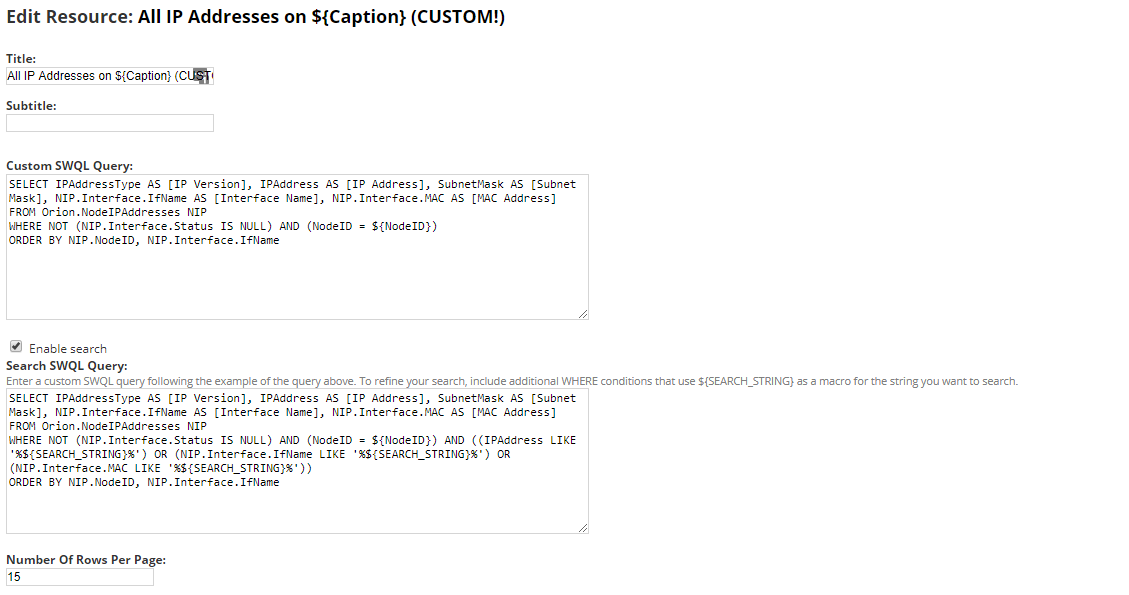
Note in the "Search" box they have "Search IP Addresses" italicized in the background of the box, right? Pretty nice. But, if you customize the resource to give you more information, like shown below, you end up with a blank search box that isn't very inviting.

I think it would be very easy on the "Edit Resource" screen for them to add a "Search Box Text" box where if you put a string in there, it would populate the background of your search box too, making things look nicer and attracting searches better? Would give us the leg up on making our custom resources a bit nicer looking and meld in with the others?