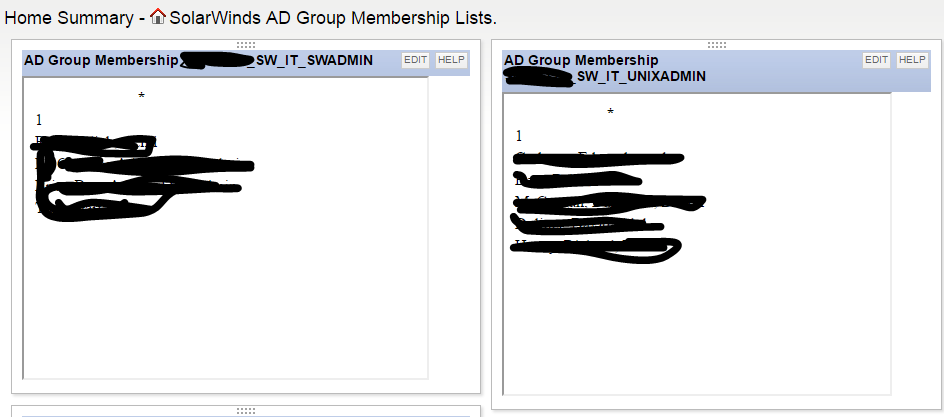
Team,
Recently I was developing an AD Group Membership Audit for a client. The basics are as follows.
- Enable RSAT on SolarWinds Application Server.
- Write powershell scripts to extract AD Group Members from SolarWinds AD groups, output the results to HTML Formats.
- Get-ADGROUP -Filter {name -like "XXX_SW_IT_APPADMIN"} | % {$_n.name+"n"; Get-ADGroupMember $_ | select name,sam*} | ConvertTo-HTML | out-file c:\inetpub\solarwinds\orion\ncm\appadmin.html
- Note this dumps the output HTML file into the c:\inetpub\solarwinds\orion\ncm\ directory, because it doesn't work in the inetpub\solarwinds\orion location.
- If there were a inetpub\solarwinds\orion\htmlpub\ directory, any and all generated html output could be delivered there or in appropriate subdirectories from any number of sources <EXCITING>!
- Create a scheduled task to run the powershell every 10 minutes, updating the html files.
- Create a tab on the summary page and add Custom HTML resources for each AD Group/HTML output generated per SolarWinds Group.
- So far we just proofed this against the SolarWinds Groups, eventually this could be done for each application, giving a reference to who has what level of access at any level you wished.
- Within 5 minutes of publishing this solution, we were correcting AD Group memberships that had before been obscured from view, dual memberships, wrong level of access.
Easy peasy! Could probably be set up in 20 minutes now that the figuring out is done....