I am scheduling a report which has 2 columns with historical data:
1 Error Rate
2.Discard Rate
for which we need the Timestamp column to appear on the table layout , but we dont want the timestamp column to appear in the generated xlsx/csv report .
so we perform the below steps
1)-On the Timestamp column > Advanced > Enable Hide this column in the resulting table > Submit > Save Report

2)Generate the Report as .xlsx, .pdf, and .csv file
3) .xlsx and .csv report does not show the values under timestamp column but also does not hide the Timestamp column as shown in below picture .
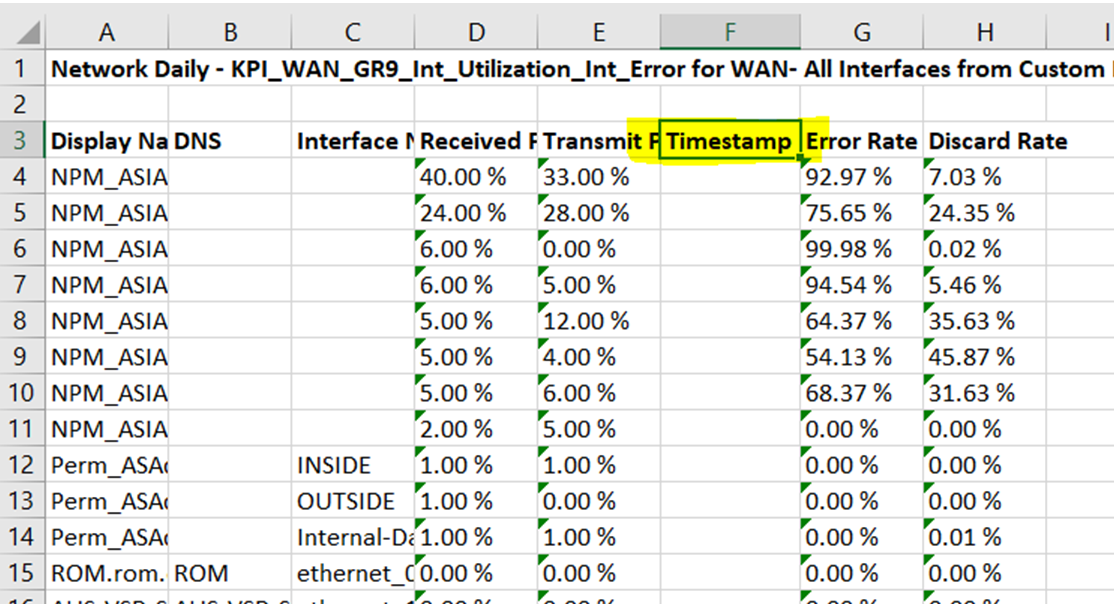
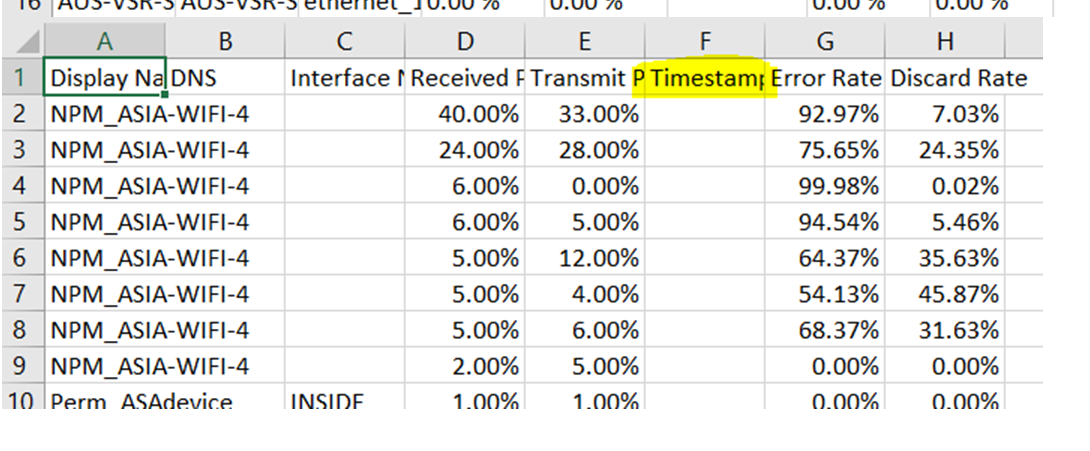
4) .pdf does not show the Timestamp column , as it can be seen from the below Screen capture
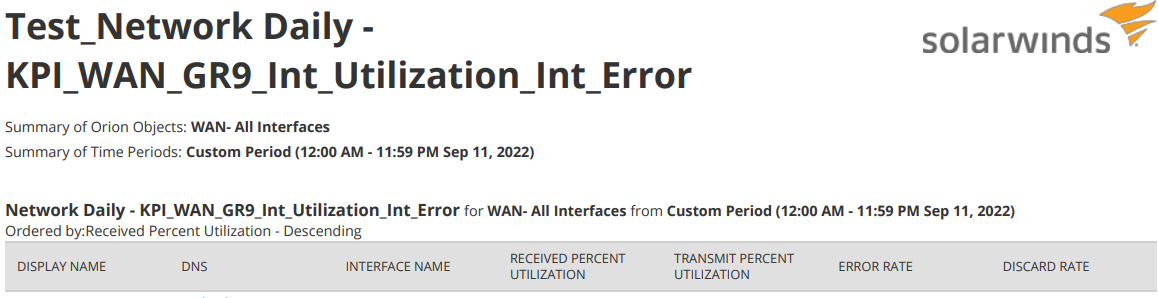
>> When the report is generated in the xlxs and csv format ,we need to have the Timestamp column not show up( just like the pdf format ) when the option "Hide this column in the resulting table" is enabled , just like the pdf format .
ref case # 01167090
