Configure IAM permissions in the Azure Portal to unity the AD app with the Orion Platform.
The account must have the User Access Administrator role to manage account permissions and perform actions against VMs, such as stopping polling.
Azure Portal open
In the Azure Portal, click More Services > Subscriptions
Click the Subscription related to the Azure account to display details about it.
In the Subscriptions >> click Access Control (IAM).
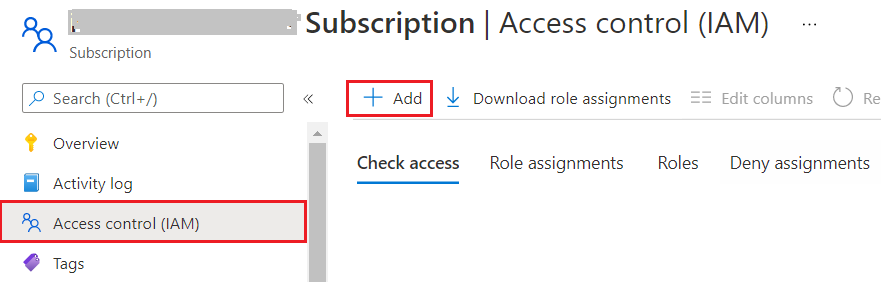
Click Add in the Permissions pane. (Add role assignment)
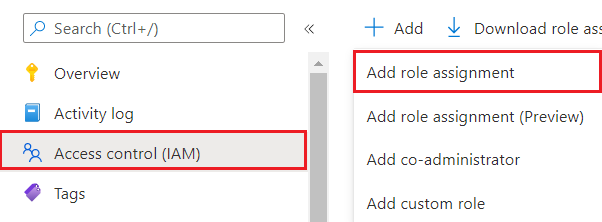
In the Add permissions option, follow these steps:
Select Contributor or Reader in the Role field.
Select Azure AD user, group, or application in the Assign access to the field.
To search for an AD app, enter its name — or part of its name — in the field provided.
Click Save.

