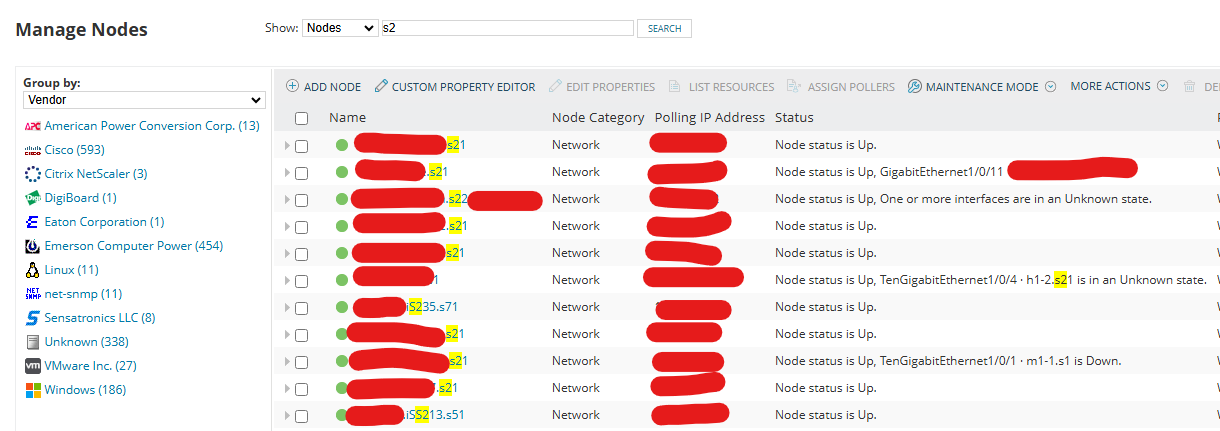
When searching nodes for s2, I receive results for s21. How can I restrict the search to only return results exactly matching s2?
Per the documentation you are not able to use wildcards or Regular Expression in the Manage nodes search bar. Would be nice to do, but aside from a different naming scheme to add in some to be more unique, there are some other option in the Entity manager. But I don't have many nodes to manage so I haven't had to try to narrow better.
Ref. Search network config files or node properties
you can try - %s2%
The only way that I can think of is to leverage custom properties. For example if you created a custom property call "whoit" and you created custom property values of 'S2' & 'S21'. Then you can use the Group By Custom Properties function to show just those devices.
If you were to go down this road I would highly suggest spending some time to see if you can also leverage the 'Change Custom Property' alert function. Based on your example I would write a rules that ways if the name ends with 'S21' end set the whoit custom property to S21. Then I would set a second alert that says if the name doesn't end with S21 then set the whoit custom property to 'S2'. Then when you search by custom properties you'll have 2 choices for whoit S2 & S21