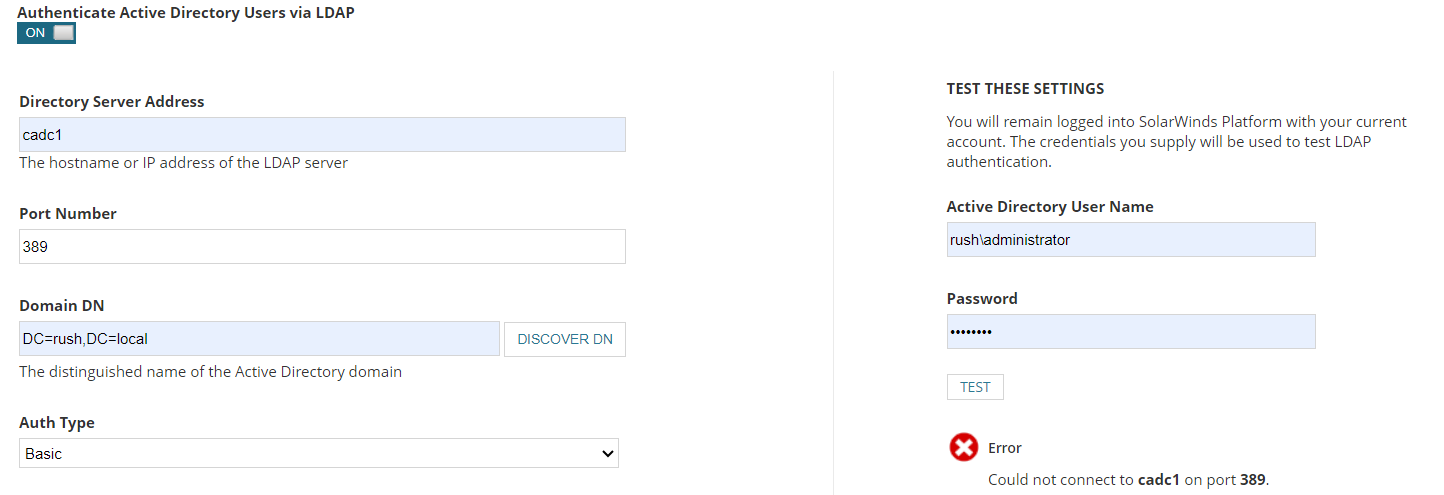
I am near suicidal levels not being able to get this to work.
I've tried everything. Did Procmon captures.
Can't get test to work.
Any ideas? 389 is wide open. All looks perfect.
Windows 2022 - test build on latest platform.
Are you required to use LDAP for Active Directory? If this setting is disabled then is defaults to MSAPI and leverages whatever AD domain your SolarWinds Server is joined to. You can simplt to go User Accounts and add a Windows Group/User.
If you do need LDAP, i'd make sure to use the FQDN for the Directory Server Address.
I just need transparent SSO access.
I'll break my answer into two parts, since you mentioned SSO.
1) General AD integration. This would allow a user to log in using their AD credentials. They would be presented a login screen where they would enter their AD login info. This can be done without having to configure the LDAP settings posted in your original post as long as the SolarWinds server is joined to the AD domain you want to authenticate against. This is the LOGIN button and above in the screenshot below. This is the easiest of integrations between the two.
2) SSO login using a external Identity Provider. As long as your Identity Provider supports SAMLv2, then we support it. It does require a more complicated setup. When this is configured, there will be a new button on the login page (example: Login with ADFS) that allows for a 'single click' to authenticate via SSO.
documentation.solarwinds.com/.../core-users-saml-configure-id-provider-in-owc.htm
Right I've always used AD auth this is simple to comprehend.
I'm trying to get transparent AD auth - I thought AD advanced auth would do that, but apparently not.
I've never tried it in years of using SW.
Silly to admit.
Whats really bizarre is not being able to get the test button to work - what log file can I look at for those calls?