Hi,
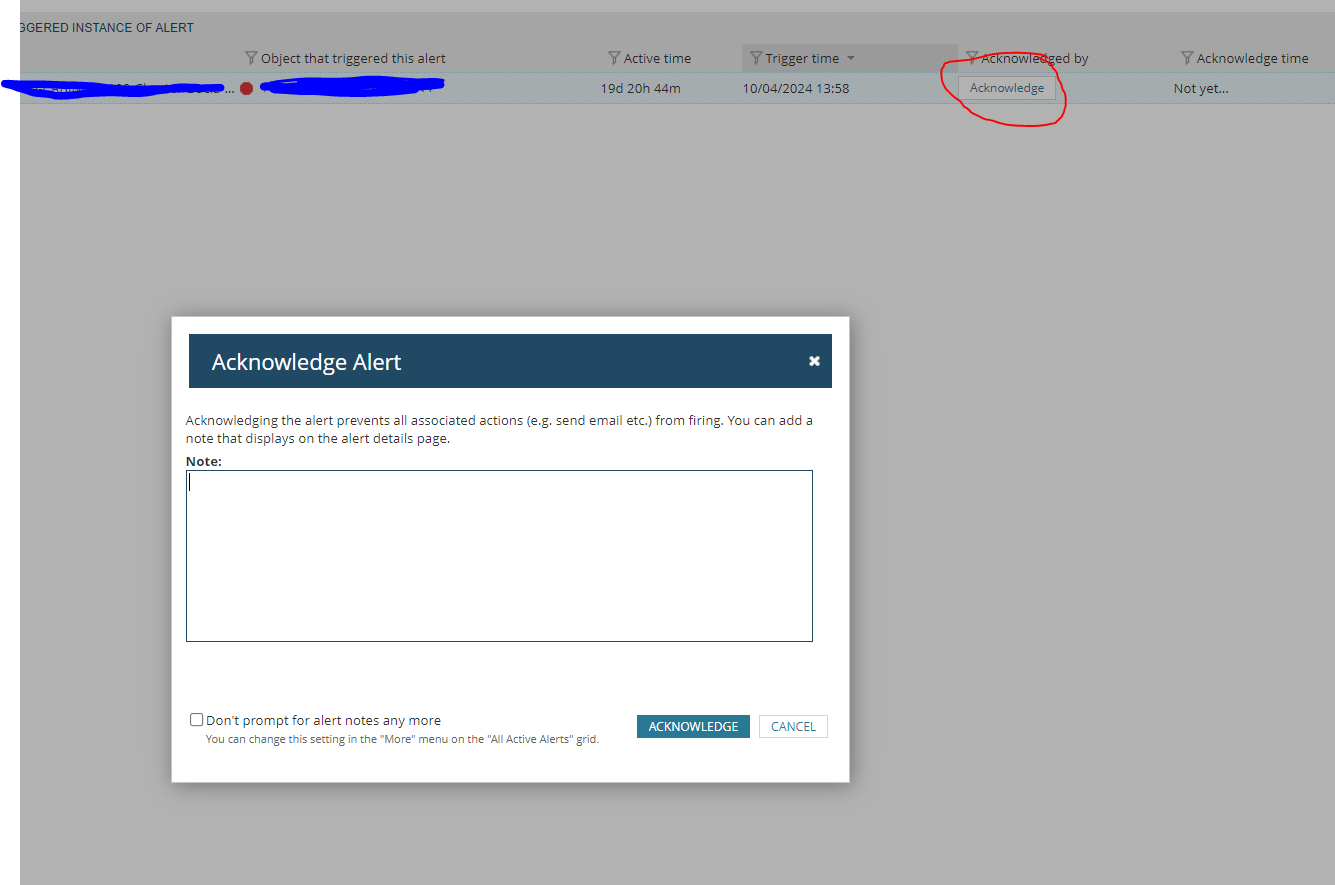
In the Alerts section there's a button you can click to acknowledge an alert which pops up with the following which you can enter notes in, is there a way to recreate this in a custom table using a SQL query?
Thanks
Great thanks, I'll give that a go.
Hi, with below query you see all unacknowledged alerts and the link to the right "ack's" the alert. But you don't get any popup....
SELECT AC.Name as [Alert Name] ,CASE WHEN MINUTEDIFF(A.TriggeredDateTime, GETUTCDATE()) > 1440 -- More than 1 Day (1440 minutes) THEN (TOSTRING(ROUND(MINUTEDIFF(A.TriggeredDateTime, GETUTCDATE()) / 1440.0, 1)) + ' Days') WHEN MINUTEDIFF(A.TriggeredDateTime, GETUTCDATE()) > 60 -- More than 1 Hour (60 minutes) THEN (TOSTRING(ROUND(MINUTEDIFF(A.TriggeredDateTime, GETUTCDATE()) / 60.0, 1)) + ' Hours') ELSE (TOSTRING(MINUTEDIFF(A.TriggeredDateTime, GETUTCDATE())) + ' Minutes') END AS [Active] ,A.TriggeredMessage AS [Message] ,AO.EntityCaption as [Triggering Object] ,CASE WHEN [AO].RelatedNodeCaption = EntityCaption THEN '[Self]' ELSE [AO].RelatedNodeCaption END AS [Related Node] ,AO.EntityDetailsUrl as [_LinkFor_Triggering Object] ,CASE WHEN AC.Severity=0 THEN '/Orion/images/ActiveAlerts/Informational.png' WHEN AC.Severity=1 THEN '/Orion/images/ActiveAlerts/warning.png' WHEN AC.Severity=2 THEN '/Orion/images/ActiveAlerts/Critical.png' WHEN AC.Severity=3 THEN '/Orion/images/ActiveAlerts/Serious.png' WHEN AC.Severity=4 THEN '/Orion/images/ActiveAlerts/Notice.png' END as [_IconFor_Alert Name] ,CONCAT('/Orion/NetPerfMon/ActiveAlertDetails.aspx?NetObject=AAT:',A.AlertObjectID) AS [_LinkFor_Alert Name] ,AO.RelatedNodeDetailsURL AS [_LinkFor_Related Node] ,'Ack' AS [Ack] ,'/Orion/Netperfmon/AckAlert.aspx?ObjID=' + ToString([AO].AlertObjectID) AS [_LinkFor_Ack]FROM Orion.AlertActive AS AINNER JOIN Orion.AlertObjects AO on A.AlertObjectID=AO.AlertObjectIDINNER JOIN Orion.AlertConfigurations AC on AO.AlertID=AC.AlertIDLEFT OUTER JOIN Orion.NodesCustomProperties AS NCP ON AO.RelatedNodeID=NCP.NodeIDWHERE ISNULL(A.Acknowledged,0)<>1 ORDER BY A.TriggeredDateTime DESC
I wanted to share a new dashboard a co-worker ( @mblackburn ) came up with to help us better view groups of interfaces and various metrics for each. Using a single HTML widget, we are able to visually compare numerous different interfaces by populating each interface dataset onto its own graph. We are able to view…
PALO-ALG - Logging.xmlPalo Alto Networks ALG Security Technical Implementation Guide :: Version 2, Release: 3 Benchmark Date: 27 Oct 2022
Alert Cleared.htmlHello, I would like to share the HTML template details we have prepared so that Solarwinds alarms can become more meaningful. It can list alarm object details and connected device details separately in HTML template. Except for object and device details, you can easily add custom property information…
Cisco ASR Devices.pollerCisco ASR Devices