Here's a step by step on how you can add a user and set up a credential ring
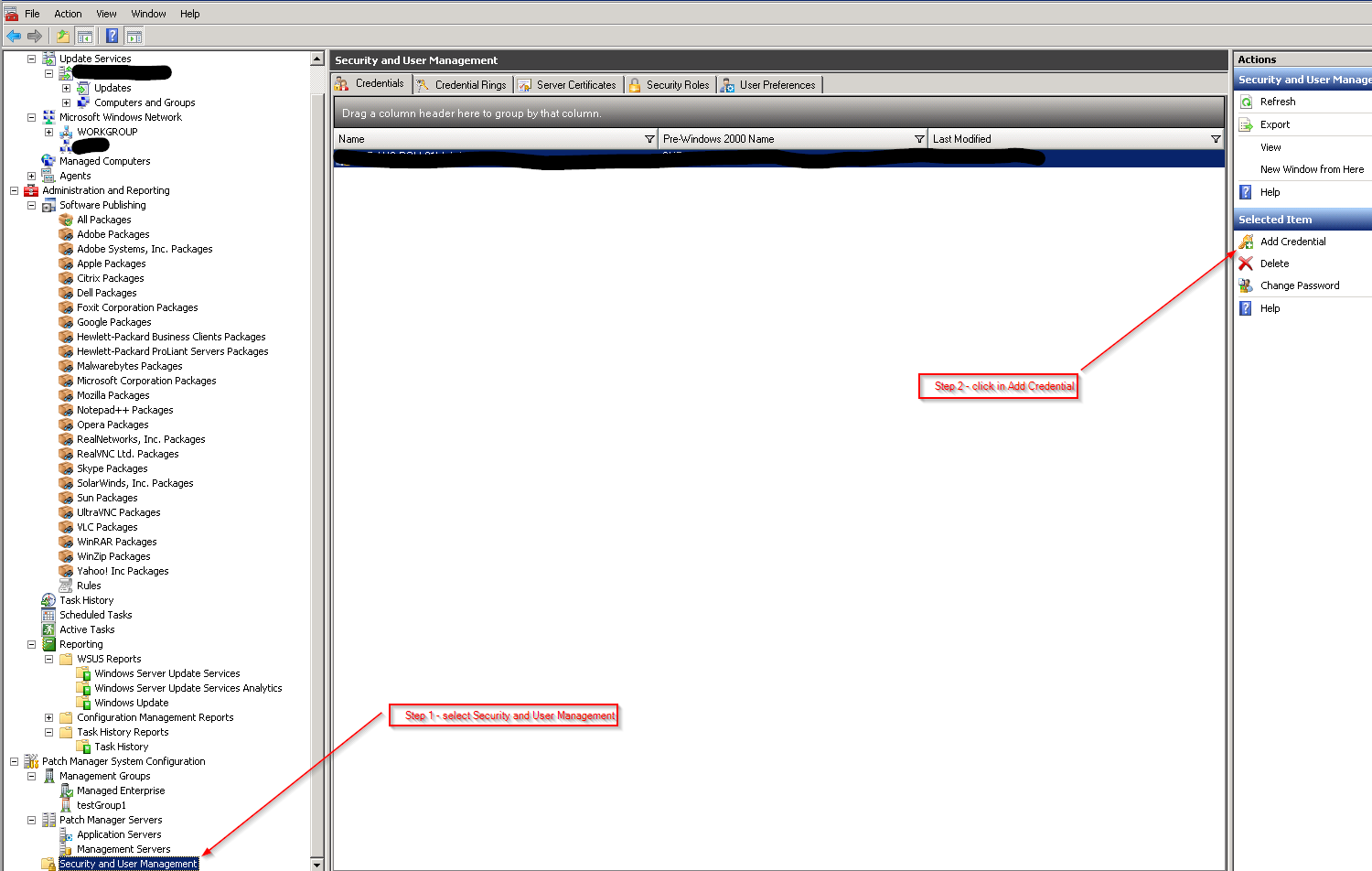
Step 1 - select Security and User Management
Step 2 - click in Add Credential
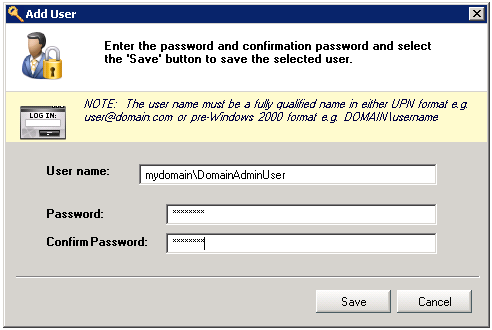
Step 3 - Enter the account details
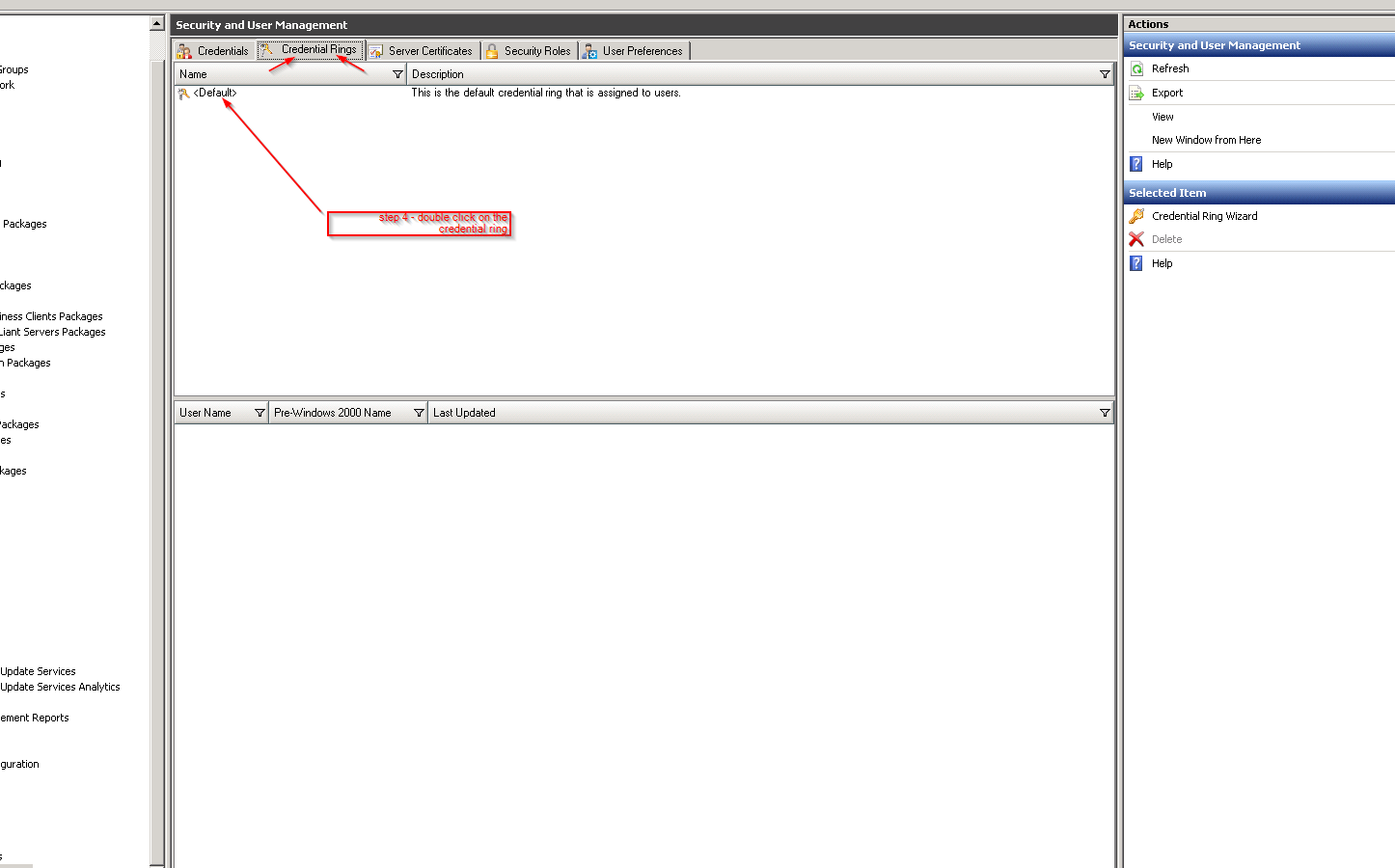
Step 4 - Double click on the Credential Ring that you need to assign the account to
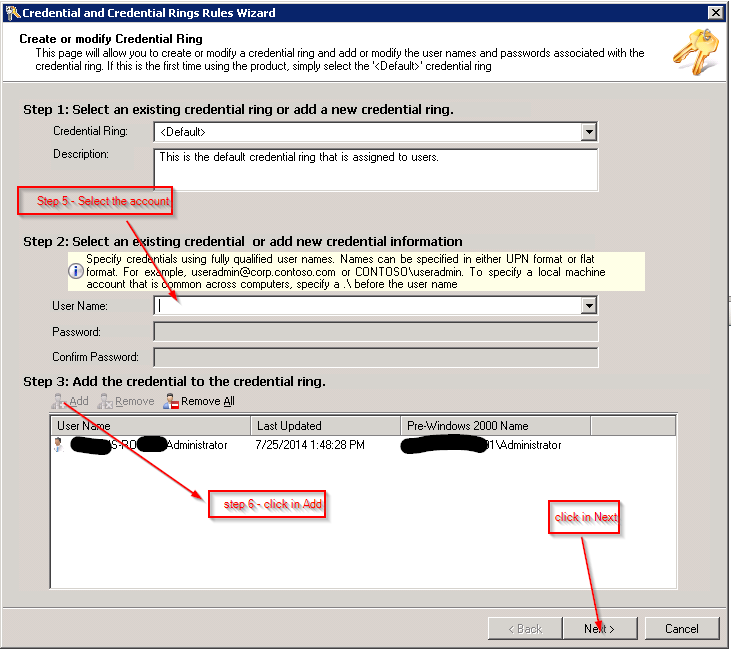
Step 5 - Select the account
Step 6 - Click in Add, then Next
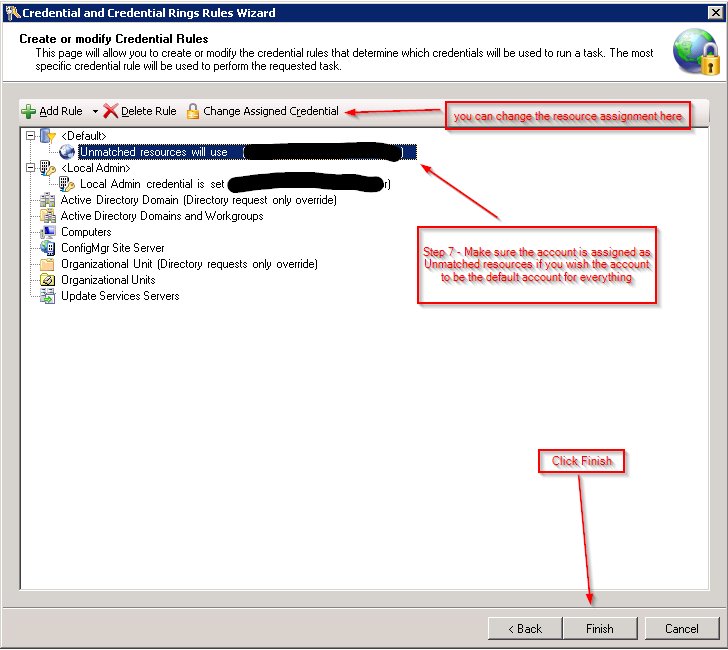
Step 7 - Make sure the account is assigned to the Unmatched resources if you wish it to be the default account for everything, WSUS servers, domains, etc
You can repeat all those steps to add different users to the any resource you desire.