Comments
-
There are a few entries here which my provide an answer to your question. Re: Performance Per Polling Method?
-
I use SolarWinds alerts to look at new devices or installed software. Look here Alert Engine Automation - Automatic Custom Property Assignment
-
A few weeks ago, I was asked to add Windows Scheduled Tasks to 1234 nodes. This was treated the same way as a hardware resource, and added through network discovery. I was able to add Windows Scheduled Tasks to all of the nodes without affecting any other resource by making sure that resource was the only one checked off.
-
You might want to start with this article Extend Network Monitoring Reach with New Orion ARM Agent
-
Try Orion.Actions Description field
-
My biggest issue was trying to incorporate error handling. With up to 10 Application Monitors on over 1200 nodes, I frequently see "One or more application monitors is in an Unknown state." This really causes issues with script returns.
-
I am using a web based report for this purpose You may want to place sort by Status - Component first in the list for the results to appear at the top of your list The unmanaged component monitors are clearly listed.
-
I once worked with an engineer who incorporated Post-it notes ON a Whiteboard, which made changing priorities and task completion so much easier.
-
You might want to look at this article, which provides a custom query resource. Custom SWQL to Manage Assigned Application Monitors with Search bar
-
I used the following to resolve my issue: Click Start, type cmd right click cmd.exe, and select Run as administrator. At the prompt, type lodctr /r and press ENTER. This will repair the pointers (those are stored in the registry). First time run may produce the following: Error: Unable to rebuild performance counter…
-
I found the following to be very helpful if you are going to be using agents: Monitor with Orion agents in SAM
-
How about Community='{Community-String}' AND (interfaces.NodeID <> 11111 OR interfaces.NodeID <> 22222 OR interfaces.NodeID <> 33333) or Community='{Community-String}' AND (interfaces.NodeID != 11111 OR interfaces.NodeID != 22222 OR interfaces.NodeID != 33333)
-
If the database was incompatible with version upgrades, we would all be extremely unhappy, as we would have to reconfigure SolarWinds with each upgrade. Just be certain to check that your MS SQL DB server meets the requirements for SAM 6.4, make sure to not skip the step of backing up existing data, and you should be all…
-
We had a similar issue using Text entry, and had to use XY coordinates to get around the automatic validation. The symptom was that the field would turn yellow as soon at the player hit the user name field.
-
This is an Advanced Database Query (SWQL query type) that I used to create a report This report will only display enabled alert entries with e-mail notification, but can be modified. SELECT ac.AlertID, ac.Name, ac.Description, ac.Enabled, ac.Severity, ac.CreatedBy, ad.TriggerQuery, ap.ActionID, ac.AlertMessage, a.Title,…
-
I personally don't understand why the devs frown on the scripts where I have Solarwinds log the service going down, and the automated remediation. When that fails, it logs that en e-mail is being sent for human intervention. The automation performs the exact same steps I used to perform manually, and provides accurate…
-
From Gmail... Connect to smtp.gmail.com on port 465, if you're using SSL. (Connect on port 587 if you're using TLS.) Sign in with a Google username and password for authentication to connect with SSL or TLS.
-
Agent initiated Communication (Active): The Agent initiates communication with the server on the default port of 17778 (this can be changed if needed). This port must be opened on the server firewall so the Agent can connect. No change to the Agent firewall is required.
-
When I encounter this issue, I usually just restart services using Orion Service Manager, which fairly quickly updates the missing information
-
You have to keep in mind that the value you are entering is a string, not an integer. If I were making the same attempt in SQL, I would be suing some sort of regex.
-
It looks like you forgot to use a close anchor </a> You also need the NodeID for both the volume and node to reference. Try something like this SELECT CONCAT('<a href="',n.Caption,'</a>')">thwack.solarwinds.com/.../VolumeDetails.aspx AS 'Server', CONCAT('<a…
-
Check out this link:Orion Server This template assesses the status of Windows services related to SolarWinds Orion servers. I think it will provide the information you are looking for.
-
I tried all of the suggestions listed here, as well as opening a case, with no success. Then, I was reading through discussions under Web Performance Monitor, which pointed me to look into the Orion database. I originally looked at [Solarwinds_APM].[dbo].[Accounts] to compare my setting with other admins who did not have…
-
I believe your logic catches D: due to Node being true AND Fixed Disk less than 35% The C: captions being true also allow the D: Fixed Disk to be processed. When we were presented with monitoring servers with drives needing different thresholds, we set up monitors as described below. From the manage Nodes page, we edited…
-
Try filtering on "Starts with /vmfs/"
-
You should be able to resize each panel. From NOC view, you should see the following when you click or hover over the 3 bars in the upper right hand corner - Enable drag&Drop/Pause. Once selected, you should see the double arrow cursor when you hover over the edges of the panels. Text should automatically wrap within the…
-
Same issue, same workaround
-
Does the time difference by any chance coincide with your UTC offset?
-
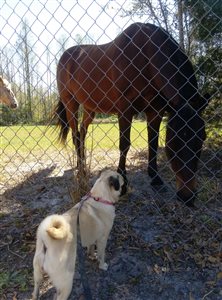
Our Pug, Annie, loves dogs of all sizes. I don't have the heart to correct her.
-
I believe we experienced similar issues after a recent patching, which required updating the Certificates.